A lighting study that meets EN 12464-1
in minutes.
How Momik works.
One calculation engine, two ways to work: in the browser or from your Revit model. The same study, calculated against EN 12464-1.
In the browser
Nothing to install. Draw or upload your zones, calculate, receive your report — on any device. For engineering firms and installers without BIM.
Create free account →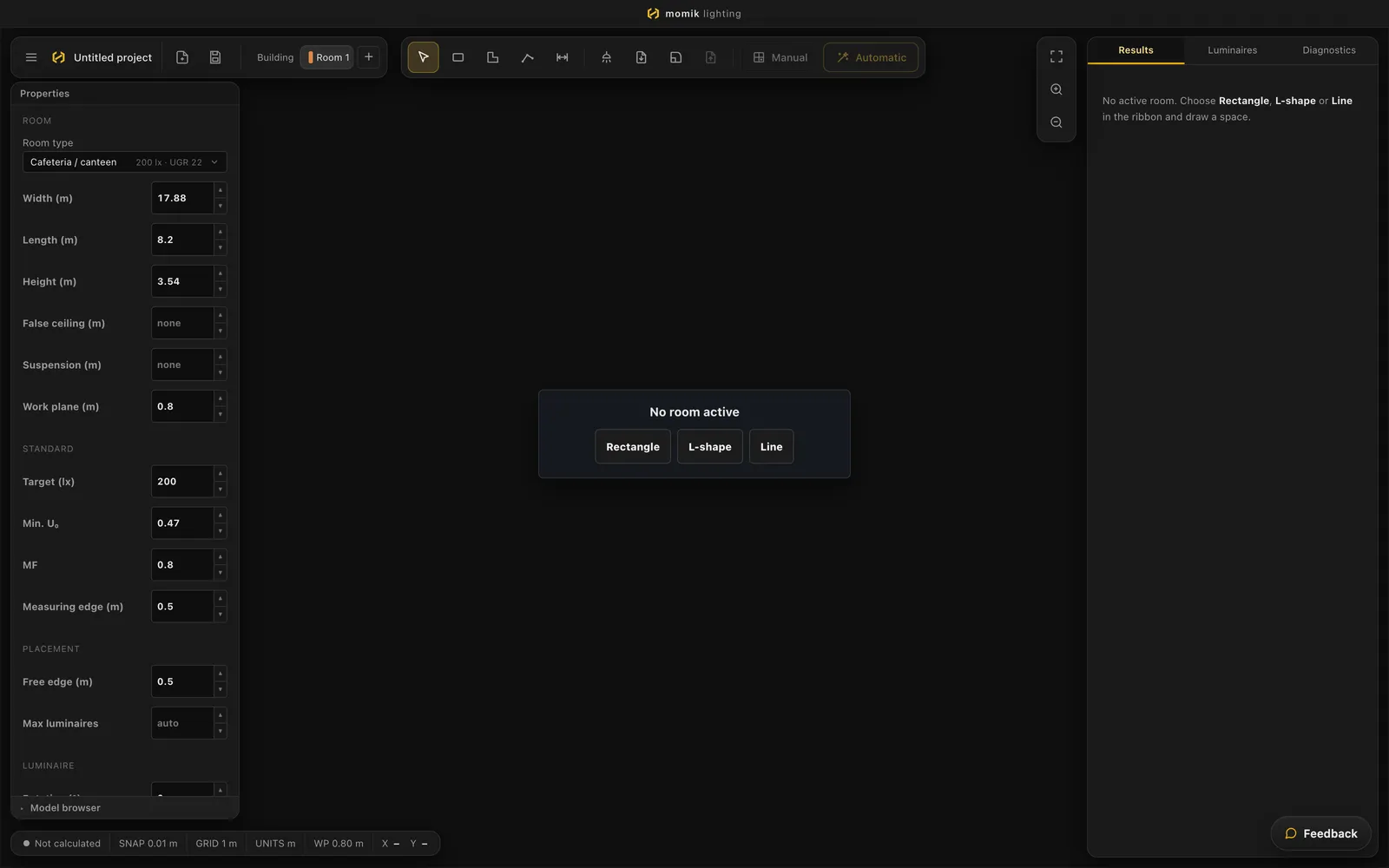


As a Revit plugin
Your model supplies the zones; Momik calculates in the cloud and places the chosen luminaires back as families, with photometry linked. Available now.
See the Revit sync →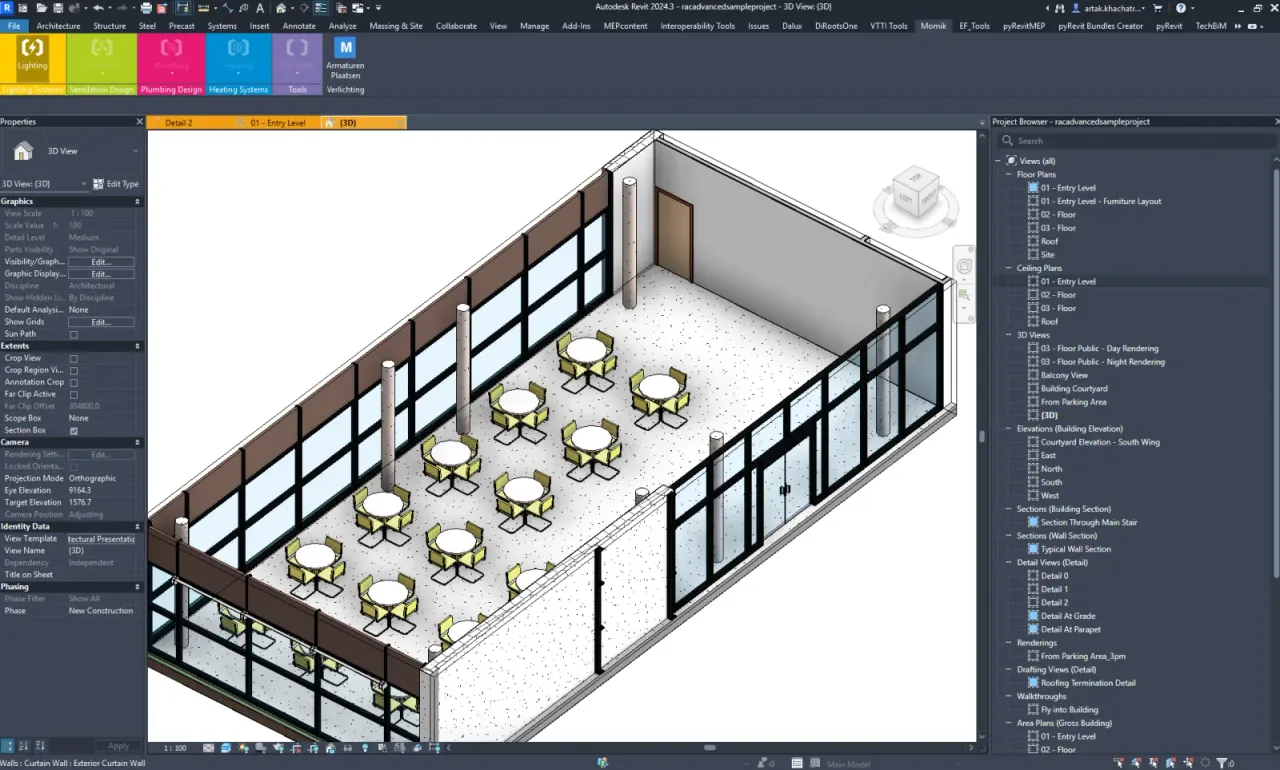


One calculation engine, one catalog. Work in the browser or straight from Revit — both are available today.
From plan to report in four steps.
Draw or upload your zones
Import your floor plan or draw your zones — each type automatically gets the right standard values.
Filter the catalog
Set your requirements — lux, UGR, IP, CCT, CRI, mounting — and the catalog keeps only what truly fits.
Click Calculate
One click, one complete study: illuminance, uniformity, UGR and isolux per zone.
Receive your report
A standards-compliant PDF report with heatmaps, luminaire list and results per zone — ready for your quote.
Lighting calculation software that runs in the browser.
Draw, calculate, view in 3D. This is the real Momik editor — not a mockup, and nothing to install. A sample study, run on the same calculation engine you use in the app: standards-compliant, with isolux heatmap and 3D.
Three suppliers. One study. The same assumptions.
Momik is not a manufacturer. Same room, same standard, same grid — the calculation method, maintenance factor and grid spacing you would set in DIALux or Relux. You compare three suppliers purely on the numbers, not on their brochures.
Example: office 46.6 m² · 500 lx · MF 0.787 · 600×600 LED panels, 12 per supplier in a 4×3 grid, calculated with the Momik calculation engine. Prices illustrative — your study shows the current catalog price.
A Revit lighting plugin that syncs both ways.
Working in Revit? The Momik plugin reads your model, calculates in the cloud and places the chosen luminaires back as families — with the right photometry linked. Available now, alongside the web version.
Lighting is the beginning. Momik is becoming full MEP.
The same approach — standards-compliant calculation, normalized catalog, report in minutes — we're rolling out across the following disciplines. Built by engineers who make these studies themselves.
Lighting
Complete lighting studies with zone cascade, supplier comparison and a standards-compliant report. Emergency lighting: next.
HVAC
Ventilation flow rates per room type, EPB-compliant flow calculation and air handling unit selection from the catalog.
Plumbing
Pipe sizing for drainage and supply, with automatic DU values per fixture and a bill of materials.
The people behind Momik.
A small team that works in the construction and lighting world itself — from standards and calculation to code.

Ali Safieddine
Founder · Revit & DataBuilds the Revit integration and the database behind Momik.
ali@momik.ai
Artak Khachatryan
Founder · CEODrives the business and customer acquisition — a market expert who uses these tools himself.
artak@momik.ai
Tigran Khachatryan
Later co-founder · Web & AWSBuilds the web apps and the AWS infrastructure.
tigran@momik.aiQuestions we get about lighting calculations.
Short answers on the standard, the platforms, the catalog and the price. If yours is not here, ask us below — we answer within the working day.
Is the report EN 12464-1 compliant?
Yes. Momik calculates maintained illuminance, uniformity (Uo) and UGR per zone and checks each one against the standard values for that room type. The report lists the result zone by zone, so the compliance is readable instead of assumed.
Does Momik run on Mac?
Yes. The web version runs in the browser, so macOS, Windows and Linux all work and there is nothing to install. The Revit plugin is the exception: it runs wherever Revit runs, which is Windows.
Is Momik a DIALux alternative?
For the compliant study, yes. Momik runs in the browser on any operating system, where DIALux evo lists Windows 10 and 11 as its system requirement, and it compares luminaires from several suppliers inside one study. It is not a full replacement: DIALux evo is free and covers far more scenarios — outdoor, daylight, emergency lighting. Momik is built for the compliant indoor study.
Does it work with Revit?
Yes. The Momik plugin reads your model, calculates in the cloud and places the chosen luminaires back as Revit families with their photometry linked. It is available now, alongside the web version.
Is the luminaire catalog brand-neutral?
Yes. Momik is not a manufacturer. Every luminaire in a study is calculated from its real IES or LDT photometric file, so you compare suppliers on measured numbers — illuminance, power per m², efficacy, UGR and list price — instead of on their brochures.
How long does a lighting study take?
Minutes. Four steps: upload or draw your zones, filter the catalog, click Calculate, receive your report. The calculation itself runs in the cloud, so nothing on your machine has to keep up.
What does Momik cost?
Momik is free until 12 October 2026. From then, Lite is €79/month and Pro €229/month, billed yearly (or €99 and €279 billed monthly), excl. VAT. Both start with a 14-day free trial. Enterprise starts at €1,250/month.
Your next lighting study doesn't have to take three weeks.
Ask us anything or book a 20-minute demo. Bring a real plan — we'll calculate it live.
Come visit us at Digital Construction Day · October 13, 2026 · Brussels Gate · stand #3